Your lap, on video.
The dashcam films the road and logs your readings beside it. It spots laps by itself.
Export a clip with your dials on it, ready for the group chat. Premium adds the track map, the lap timer and more export styles.
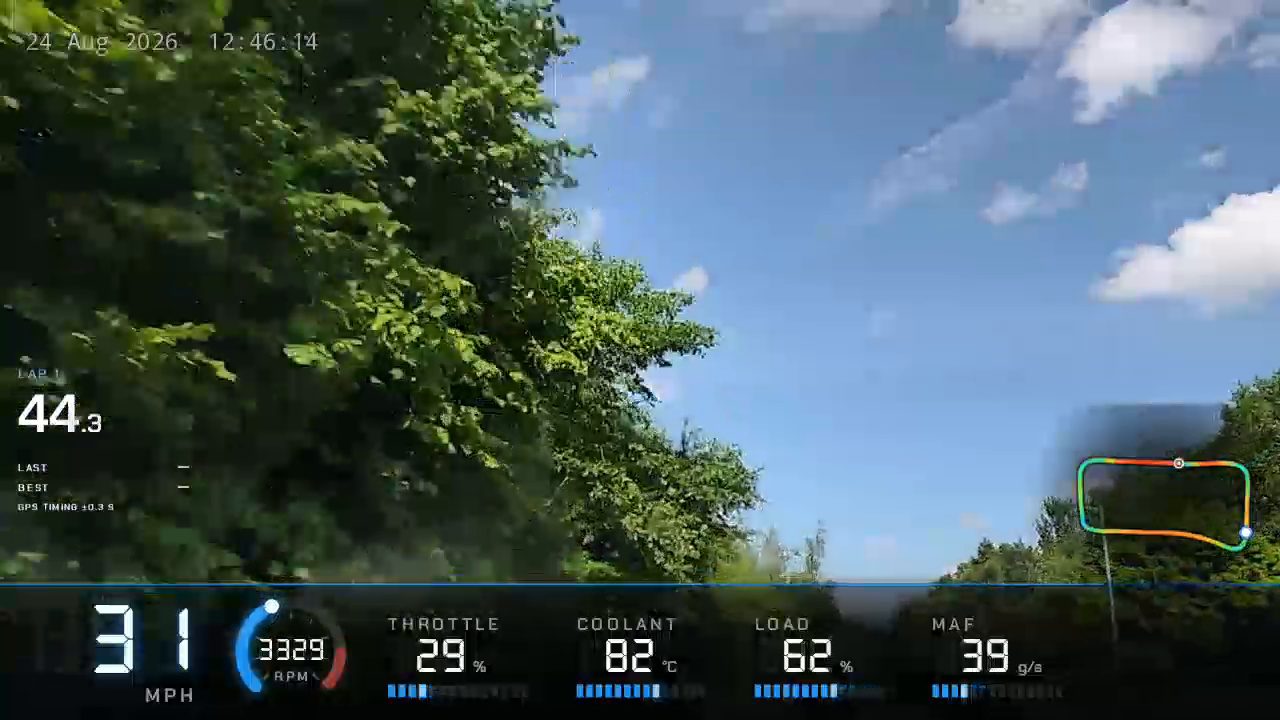
Video and data, side by side
Loop-recording video with speed, revs and GPS captured alongside every second.
Laps, found for you
Drive a loop and it spots the laps by itself. Pick the lap you want to keep.
Trim and export
Trim a clip and export it with the dials overlaid. Free exports carry a small OBD Mechanic watermark on the frame, never on the video. Premium adds the track map, the lap timer, the perf timer and every export style, without the watermark.
Performance runs
0 to 60, quarter-mile, braking and a g-force ball. A track-day timer with no extra kit.
Every drive, recorded and readable
Recording starts with the connection. By the time you know something's wrong, the drive that showed it is over.
Drives stay on your phone. The AI only sees what you choose to send it.
- Catch the intermittent fault. Every drive's sensor data is graphed and reviewable later. Including the fault that never happens at the garage.
- The "Mark it" dial. One tap flags the exact second it did the thing again. Name it later from the sofa.
- Hand your mechanic a graph. Share real charts of the problem instead of "it makes a noise sometimes".
- Screen off, still recording. Phone in pocket, a notification holds the log open. A dropped adapter closes the session cleanly.
More of the app
Open testing now. Anyone can join.
Install OBD Mechanic from its Play page. No group to join, no invite needed.
Android only. Demo mode works with no car and no adapter, and the mechanic's three example answers inside it are free.
We're very open to feedback, especially while we're testing. Any bugs, comments or ideas, just email ask@jim.scot. We read every one.