Free Android app · closed beta

Know what your car is telling you.

Live dials, a windscreen HUD, sat-nav that knows the limit, and a straight-talking AI mechanic. It runs on the same cheap OBD-II adapter you might already have in a drawer.

No subscription. The dials, dashboards and code reading are free. The AI mechanic runs on top-ups you spend only when you actually use it.

These dials are live, running the app's own demo drive. Tap a colour and the whole app themes the way this page just did.

Testing now — want in?

OBD Mechanic is in closed testing on Google Play. Two links and an install. The group step is Google's rule, not ours. After that, updates arrive like any other app.

  1. Join the tester group with the Google account your phone uses.
  2. Then tap the opt-in link. It only works once you're in the group.
  3. Install OBD Mechanic from the Play page it gives you. That's it.

Android only for now. Demo mode works the moment it installs, no adapter and no car. For the live-car stuff you'll want an adapter: the one from your last code-reader app will do fine, and if you've never owned one, a £10 plug online sorts it.

🔧

Free intro looks
your first AI quick look and first glovebox fill-in are on the house.

Your car's dashboard, only smarter

Every petrol car since about 2001 (and diesels since around 2004) speaks OBD-II. Plug an adapter into the port and the app turns that stream into something worth looking at.

Live data

Dashboards you actually design

Revs, speed, temps, boost, voltage, load, throttle and more. Your car's real numbers, moving in real time.

  • Pick your gauges, colours and layout. Portrait or landscape, day or night, the dash reads the way you want it to.
  • Quicker than the usual apps on the same adapter.* On most cars from 2008 on, the app asks for up to six readings in one request instead of one at a time, so the needles keep up with the engine.
  • No dead dials. The app asks your car what it can actually measure, and offers you that.
  • A proper fuel gauge, range estimate and live MPG. Numbers plenty of cars won't show you themselves.
  • 0–60, quarter-mile, braking and a g-force ball. A track-day timer with no extra kit.
OBD Mechanic landscape dashboard with live dials for speed, revs, coolant and engine load
A landscape dashboard on a 7-inch screen. Every dial swappable.
The customise sheet open over a live dual-arc dial: reading, dial style and colour pickers
Tap any dial to change its reading, style or colour. There's the colour picker again.
Three more of the app's dial styles, drawn live on this page from the same demo drive. They follow your colour too. Try the picker above. The app adds more faces these canvases can't do justice: a spinning cooling fan, a battery-style fuel fill, thermometers, pumps.
* Within reason. Adapter quality matters: a £5 clone works, but can be slow to answer and may miss readings your car does provide. A known-brand adapter in the £10–20 bracket answers faster, streams more readings and holds a steadier connection. The six-at-a-time trick needs a CAN car (most from 2008 on) and an adapter that can keep up. If a cheap one freezes mid-drive the app re-syncs itself in seconds rather than sulking, but software can't make slow hardware fast.

It joins the dots between your codes.

A good mechanic sees how separate symptoms connect. So does this one: your codes, your live sensor data and your exact car, read together.

The standout

A mechanic, not a code dictionary

  • Plain English, no scare tactics. What it means, what to check first, whether it's safe to drive.
  • Cheapest first. It rules out the £5 hose before condemning the £500 part.
  • Freeze frame, decoded. The ECU keeps a snapshot of the moment a fault set. The app reads it back as a sentence: "Set on the move, working hard, engine still warming up."
  • Reaches the whole internet when it counts. Forums, service bulletins, recalls and real-world fixes for your exact car, so you don't have to post on PistonHeads and get called a noob.
  • Knows when a photo would help. If seeing the part would settle it, the mechanic asks for a picture and reads what you send.
  • Hundreds of codes explained offline. Instant, free, no signal needed.
  • Knows your motor before you say a word. It reads the VIN from the car when you plug in, and any car can be added by its UK reg plate: make, model, MOT history and tax dates looked up for you. You review the MOT advisories and choose which ones the mechanic gets told about.
  • A library no chatbot has. Behind the mechanic sits a reference library we researched and built ourselves: facts checked against the actual owner's handbooks for over a hundred cars and vans, generation by generation, plus each model's known weak spots. A chatbot answers from whatever it half-remembers about cars in general. Ours checks the shelf for yours first.
  • And the library grows itself. When the shelf is missing something, the mechanic gets extra searches to fill the gap, and what he learns is banked for the next driver with your car. Every question improves the next one's answer.
AI mechanic diagnosis reading three fault codes as one root cause in plain English
Three codes, one cause. A real diagnosis screen.
AI Mechanic
Example response
P0171 P0174 P0300

These three aren't separate problems — they point to one cause. Both banks reading lean and a random misfire usually means unmetered air getting in past the sensor.

Most likely cause
  • A split intake boot or a cracked vacuum hose
  • Less likely: a dirty MAF sensor reading low
Worth checking first
  • Inspect the intake hoses for splits with the engine running
AI Mechanic
Example response
P0171

A lean code like this is very often a cracked hose you can spot by eye. Want me to take a look before we go deeper?

📷 Snap a photo of the intake hoses and I'll check for an obvious split — engine off and cool.
Then I can
  • Confirm the leak from your photo
  • Search your exact make & model for known fixes

On the road with you

A head-up display on your windscreen, sat-nav that takes speed limits seriously, and a co-driver's eye for anything going wrong.

HUD

A head-up display on your windscreen

Phone flat on the dash, glowing dials mirror-flipped onto the glass. At night it reads like factory kit.

  • It knows the road's real limit. The HUD reads the actual speed limit for the road you're on, cached offline, with nothing to set while driving. A little over and the number goes amber. Genuinely over and the whole arc goes red.
  • A rev dial with a proper shift light. A rainbow arc for revs, a redline sector that lights up red at the limit, and the redline itself is yours to set.
  • Sized for your windscreen. A scale setting covers however far your phone sits from the glass.
  • It shouts a new fault. A code stored mid-drive doesn't wait politely until you get home.
HUD mode: glowing speed arc gone red for over the limit, with lap timer
73 in a 60. The arc doesn't approve. (Shot un-mirrored; on the glass it's flipped for you.)
Maps & navigation

Sat-nav wired into the car

Turn-by-turn with spoken directions. Speed can read from the car itself or from GPS, whichever you trust more.

  • The limit, without asking. The classic roundel shows as you drive, route or no route, and the roads you actually drive answer instantly and offline the second time. Where the map isn't sure of a limit it shows nothing, rather than a guess.
  • National limits for your vehicle. On national-limit roads a van gets its 50/60/70 and a car its 60/70/70, worked out from your reg. Most big-name sat-navs still apply car limits to everyone.
  • Speed cameras that warn on approach. Earlier the faster you're going, and silent the moment you've passed.
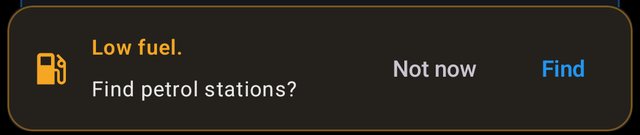
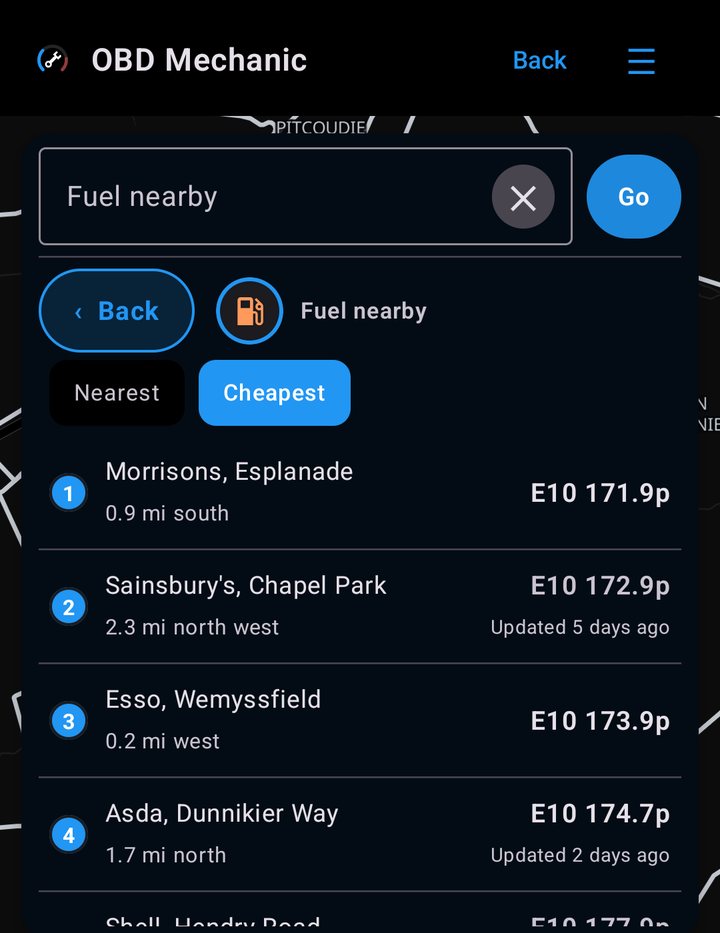
  • Fuel, parking and charging in one tap. The Fuel button even lights up by itself when your actual tank runs low.
  • Drive mode. Heading-up chase view, speed-scaled zoom, the next turn floating up top. The passenger third swipes between music, live readings, dashcam and a full-size dial.
Drive mode: dark map with turn-by-turn directions and the passenger panel playing music
Drive mode with the passenger panel on music duty.
Straight from the ECU: the app and the car's own tacho reading the same revs, live.
The black box

Every drive, recorded and readable

Recording starts with the connection, because by the time you know something's wrong, the drive that showed it is over. Drives stay on your phone; the AI only sees what you choose to send it.

  • Catch the intermittent fault. Every drive's sensor data is graphed and reviewable later, including the fault that never happens at the garage.
  • The "Mark it" dial. One tap flags the exact second it did the thing again. Name it later from the sofa.
  • Hand your mechanic a graph. Share real charts of the problem instead of "it makes a noise sometimes".
  • Screen off, still recording. Phone in pocket, a notification holds the log open, and a dropped adapter closes the session cleanly.
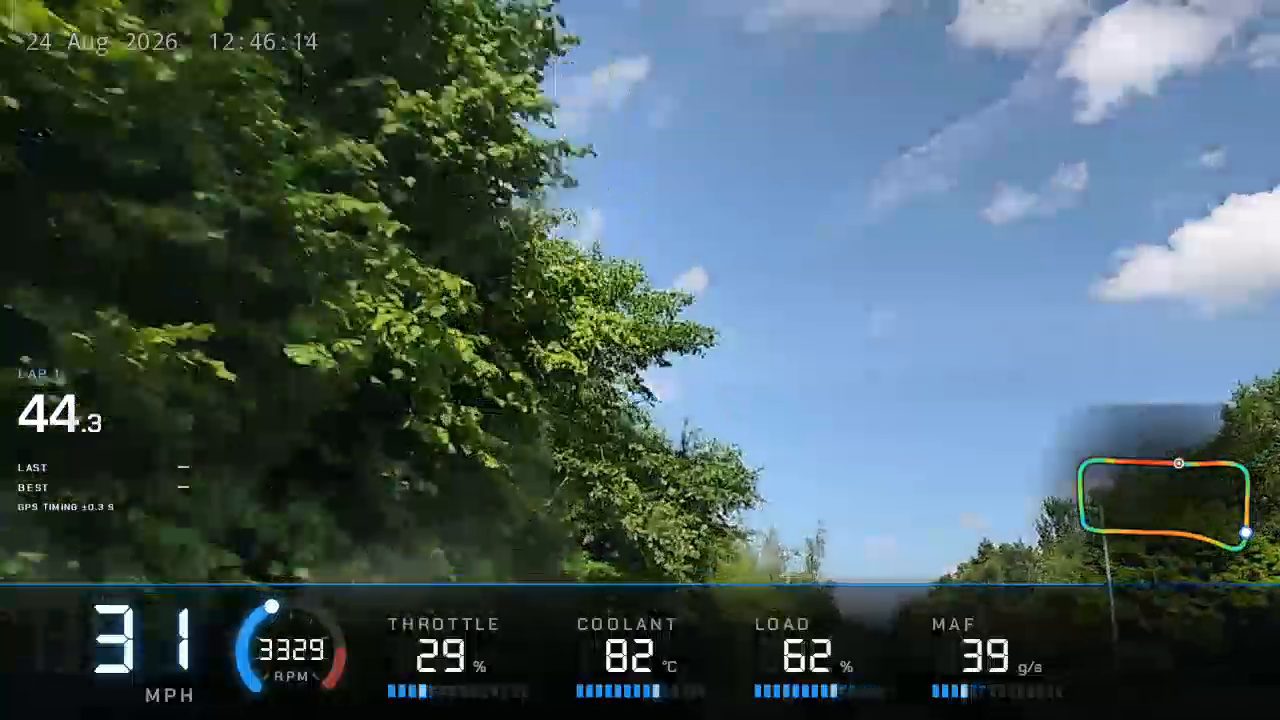
  • Dashcam with data. Loop-recording video with speed, revs and GPS captured alongside every second. Trim a clip and export it with the dials overlaid.
Live from this page's demo drive: the same rolling traces your drive log keeps, ready to replay later.
Garage & glovebox

It knows your car. All your cars.

  • Add a car by its number plate. Make, model, MOT and tax dates filled in for you.
  • The glovebox. Tyre pressures, oil spec, service notes, stored per car behind your fingerprint. And it asks about your car, not cars in general: a petrol car is never offered a charge time.
  • Full MOT history. Every test the car's ever had, advisories colour-coded by severity, fetched fresh from the DVSA. Free.
  • Buyer mode. Pull a car's spec and MOT history before you view it, read codes on the test drive, decide from home. "Bought it" moves it into your garage.
  • Breakdown numbers that need no signal. The AA, Green Flag and RAC numbers ship inside the app, in the glovebox and on the Won't-start screen. The one feature we hope you never use, built for the day you do.
MOT history for a Mazda 6: a pass with mileage, expiry date and advisories colour-coded by severity
A real MOT history, advisories and all. This one belongs to the developer's Mazda; it's seen things.
Second screens

Put it on the big screen too

Your phone stays the brain. A cheap Android head unit or a spare tablet becomes a second display, drawing your live dials over WiFi.

  • Pairs once, like Bluetooth headphones. A match code on both screens, one tap to confirm, then silent auto-reconnect forever after.
  • Sat-nav on every screen. Set a destination on the phone and the route, turns and live position appear on every connected display.
  • Music from the dash. The head unit's now-playing tile controls the phone's player. Phone in pocket, console on the dash.
A real car's dash with three screens running the app: a phone on the windscreen, a head unit in the dash and a tablet below
A real dash wearing three of them: windscreen phone, head unit, spare tablet.

Skins worth showing off

Full-screen instrument clusters, every dial wired to your real data. These are screen recordings of the app itself, running its demo drive: 0 to 83 and back.

Prism, in your colour. Swipe for the rest.
Day Rider skin in landscape telling the driver to reduce speed at 88 mph Day Rider skin in portrait at night
Day Rider. The 80s called; they're proud of you. (Note it objecting to 88 mph.)
Prism skin in portrait at 5000 rpm
Prism portrait. Same skin, other way up
Prestige saloon cluster skin in portrait
Prestige. An analogue cluster for the tastefully restrained

Free to use. Pay only for the heavy lifting.

Spanners 🔧 are the app's currency. Top up once, spend them only when you actually ask the AI mechanic for a diagnosis. No subscription, and they never expire.

🔧 1 a quick AI look  ·  🔧 3 a deep, web-searched dive  ·  packs from £2.49, topped up in the app
Free, always

The app

£0
  • Live dials & a customisable dashboard
  • Read & clear fault codes
  • Built-in plain-English code bank
  • Drive logging, history & charts
  • Maps, navigation & speed limits
  • Garage, glovebox & MOT history
  • Demo mode, no car needed
On the house

Your intro

🔧 0 to start
  • Your first AI quick look, free
  • Your first glovebox fill-in, free
  • Saved diagnoses: fix it, come back, re-read

A diagnosis is saved forever. The intended loop is one good look and one fix, not a subscription drip.

Premium · one-off

The full garage

🔧 25 one-off unlock. The £4.99 pack covers it exactly
  • The full skin collection, showpieces included
  • Extra saveable dashboards
  • The full gauge collection
  • Full HUD customisation

AI still costs spanners per use. Premium is one payment, no renewals. What you unlock stays yours.

You'll need an adapter. You may already own one.

The app talks to your car through the OBD-II port, standard on petrol cars since 2001 and diesels since around 2004.

Any ELM327-style adapter works over Bluetooth, BLE or WiFi. They're the same dongles every code-reader app uses, so the one in your drawer is probably fine. Buying new? A £5 clone does the job but can be slow and may miss some readings; a known-brand one around £10–20 is faster, steadier and reads more. We don't sell adapters and the app isn't locked to any. Either way, install first: demo mode shows you everything before you spend a penny on hardware.

Got a code right now?

The mechanic has written up the codes people actually search for: what they really mean, the cheap causes before the dear ones, and which dials to watch. Free to read, no app needed.

Browse the fault-code library

P0420, P0171, P0300 and more, each with live example dials.

💬

Plain English

No jargon. Just what's wrong and what to do about it.

🔒

Private by design

No ads, no tracking, no data selling. The privacy policy reads in two minutes.

🧾

No subscription

Pay per look, keep the app. Spanners never expire.

🚗

Made by a driver

Built in Scotland, tested on real motors with real faults.

Find out what that light means.

Join the closed beta today. Free, straight from Google Play.

A word from our head of marketing:
Glootie — do you wanna develop an app?